moments
moments

iPhone app · coming soon to the App Store

Your photos, organized into moments.

Moments groups what you photographed by hour and by day, lets you name what matters and keeps everything on your iPhone. No account, no servers, no ads.

How it worksComing soon to the App Store

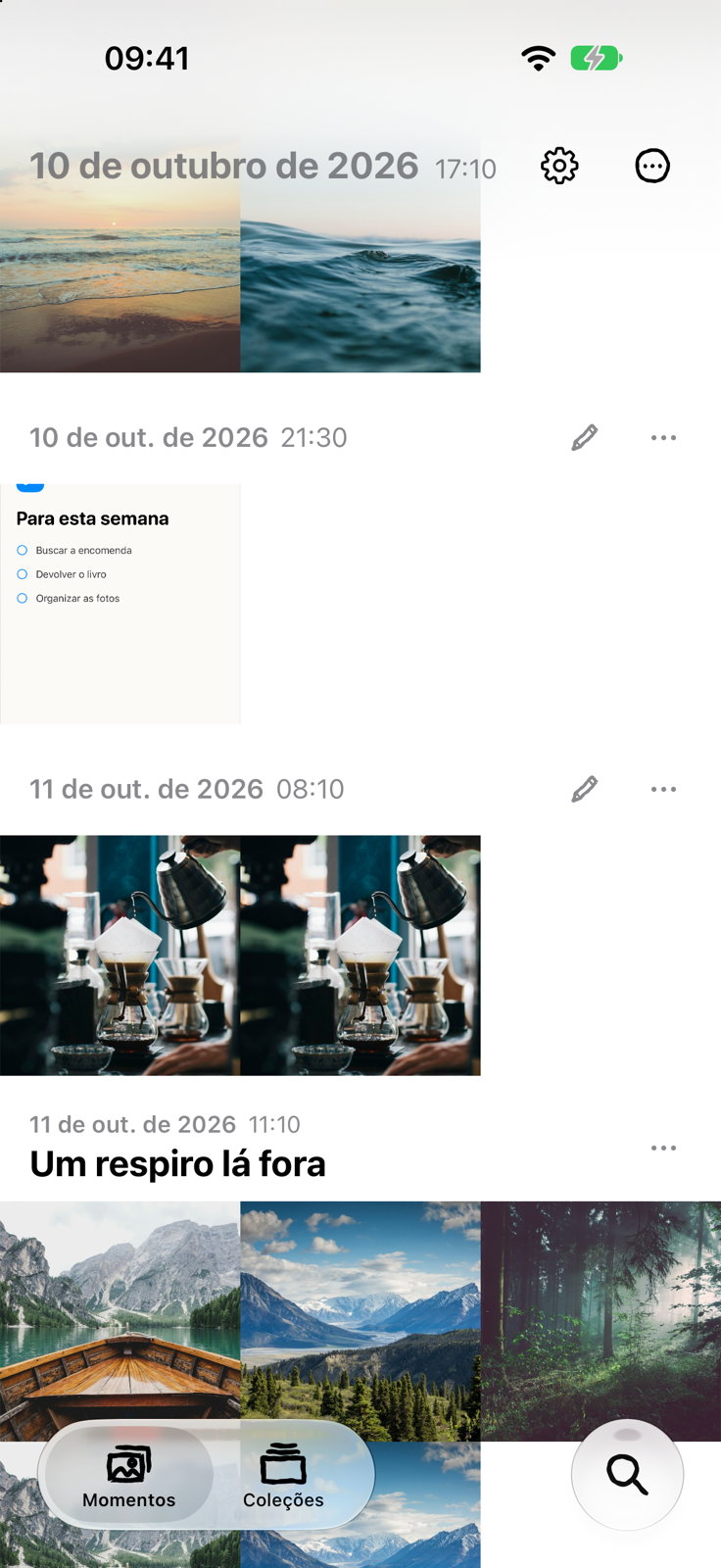
The Moments timeline: photos edge to edge, grouped by moment, with date and time on top

How it works

Moments, not folders

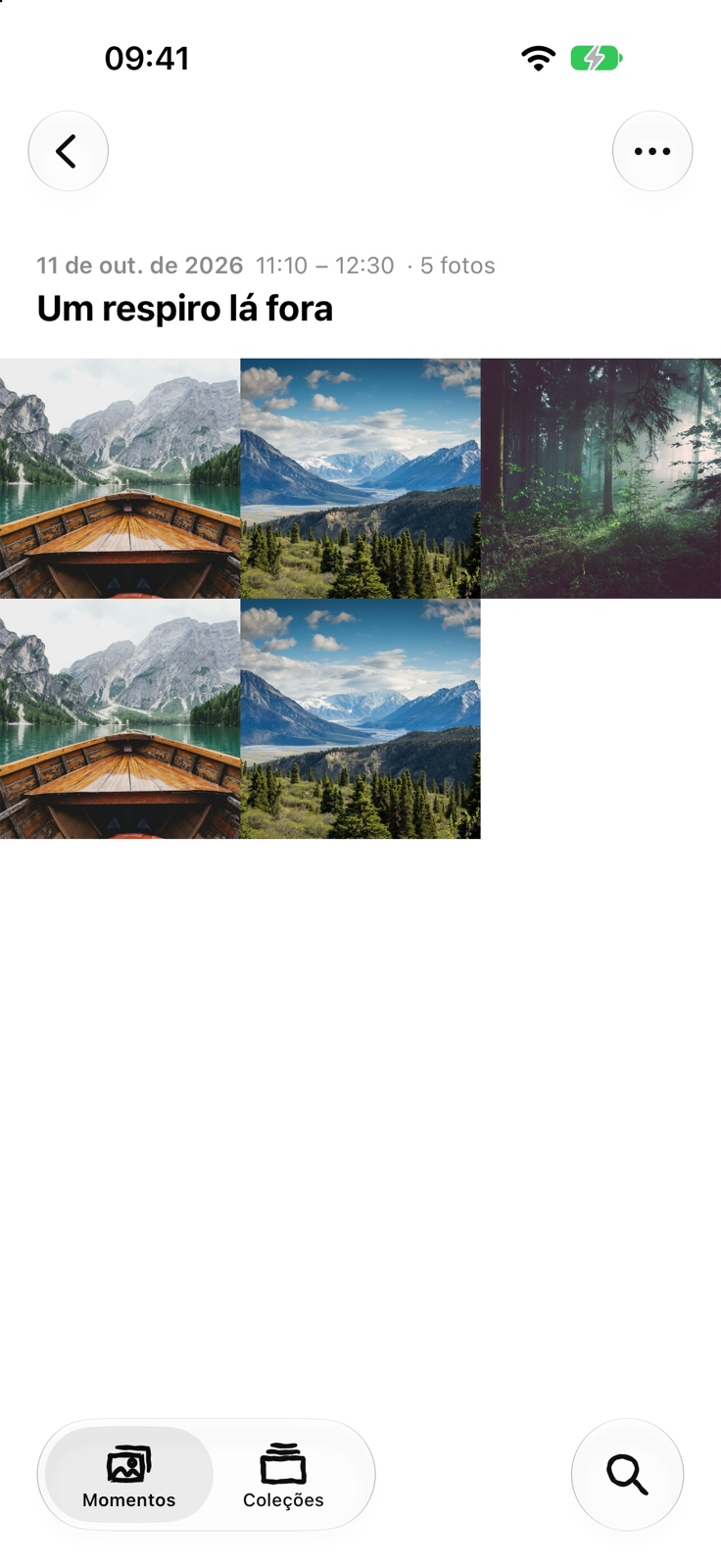
A moment starts on a new day or after an hour without photos. The timeline shows photos edge to edge, moment by moment, with the date and time on top. Name what matters (the name shows larger than the date) and merge, split or drag photos between moments when the automatic grouping gets it wrong.
Special moments become albums

Star a moment and it gets an album in the Photos app, kept identical to the moment: a new photo goes in, a photo that leaves goes out. Remove the star and the album goes away; the photos stay.

Screenshots, in short sessions

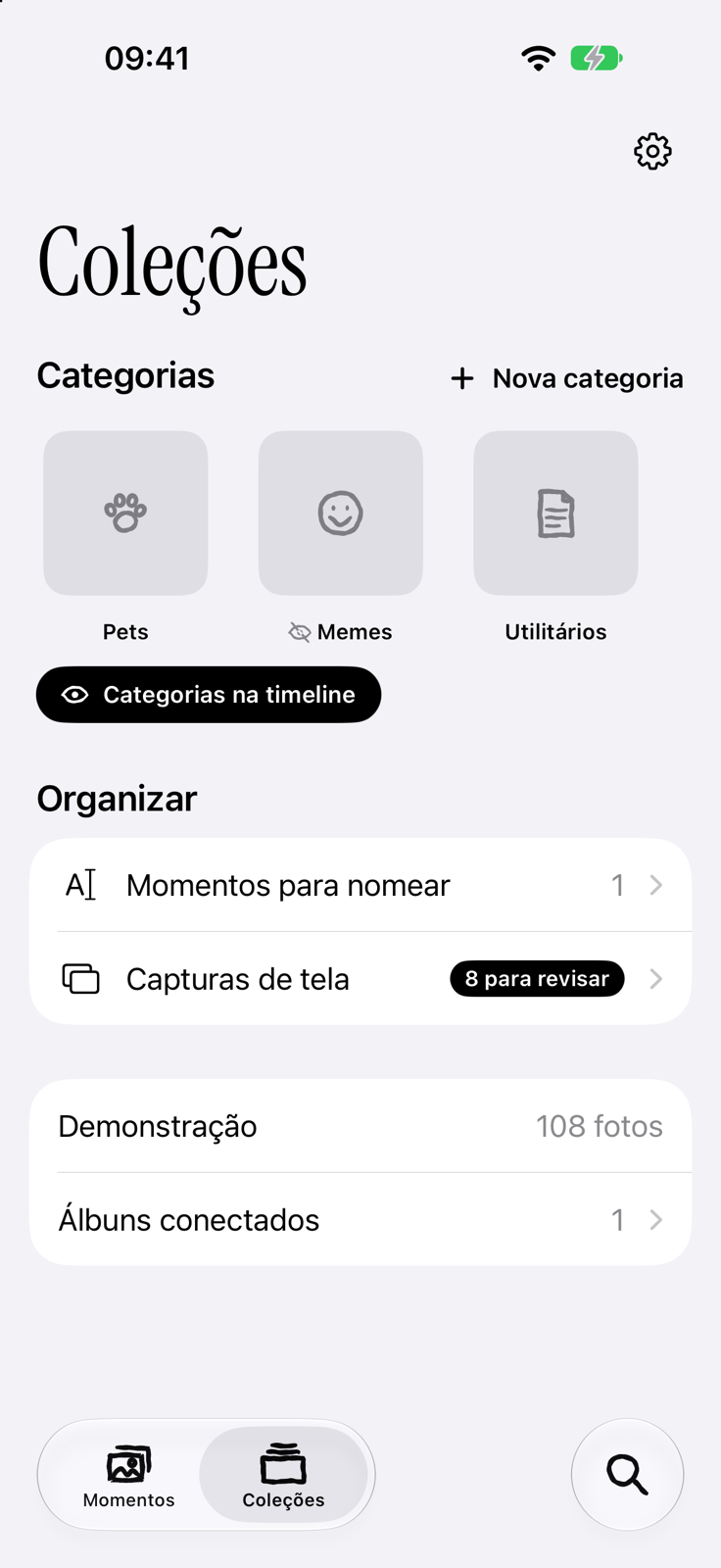
Review screenshots in sessions of up to 15: keep, discard or attach one to a moment as a clip. Kept ones come back to you after 30 days. Deleting only happens at the end of a session, with an iOS confirmation, and can be undone from Recently Deleted. No goals, no guilt.

People and places

Moments recognizes faces on the iPhone itself, with a model that runs without internet, and names places from the coordinates in your photos. In Collections, every person and every place has a timeline of its own.

Make it yours

Every moment can have a font, a colour and a background: watercolour, ruled lines or waves, painted by the app, never the same twice. The app’s icons are hand drawn, and the home screen icon is your pick: two styles, seven colours.

Timeline
Timeline
Moment page
Moment page
Collections
Collections

Private by design

  • Photos stay in Photos. The app does not copy them anywhere.
  • What you create in the app (names, stars, categories) stays on the device, backed up to your own iCloud Drive, which only you can reach.
  • No account, no servers of ours, no ads, no tracking.
  • To name places, the app uses Apple Maps; that is the only time anything (a photo’s coordinates) leaves the device.
Read the privacy policy →

Questions

Do I need an account?

No. There is no sign-up and no login.

Does Moments delete photos?

Only screenshots you discarded, at the end of a session, with iOS’s confirmation. They go to Recently Deleted, where they can be recovered for 30 days.

Does it work with iCloud Photos?

Yes. Photos that live only in the cloud are downloaded when you open them.

What if I get a new iPhone?

The iCloud backup brings back names, special moments, categories and the rest of your organization. The photos come through iCloud Photos, as always.

Which languages?

Brazilian Portuguese and English.

Coming soon to the App Store.

Questions, or want to try it early? Reach us through the support page. Support →